
Build Your Own LLM Chatbot with Python & LangChain (Part 2)
Posted on 27 Feb 2026
Introduction
This is the second article in the series Build your own LLM Chatbot, step by step, with Python and LangChain from scratch.
In Part 1, we built the architectural foundation of a multi-provider, multi-protocol, and multi-model chatbot. We implemented configuration-driven protocol selection, a factory-based instantiation mechanism, and a simple chatbot loop.
Now we move to the next level.
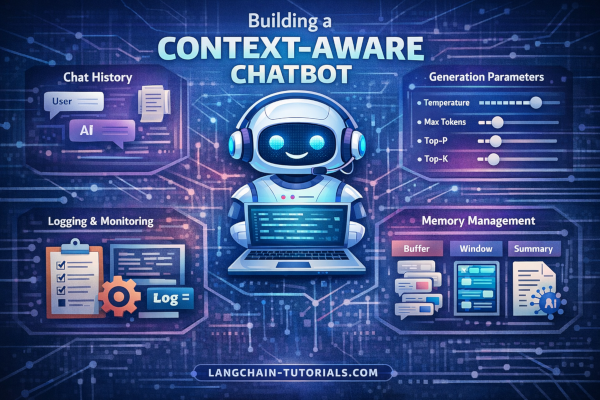
In this phase, we will teach our LLM to understand the entire conversation, not just the last message. We will implement conversation history handling and address the illusion of memory discussed previously.
We will also:
- Learn how to manage LLM configuration parameters such as temperature, top_p, top_k, and related sampling controls
- Make these parameters configurable instead of hardcoded
- Prevent context exhaustion as the conversation grows
As chat history increases, LLM context windows eventually reach their limits. A robust chatbot must actively manage this constraint.
By the end of this article, our chatbot will evolve from a simple question–answer loop into a stateful conversational system with controlled generation behavior and scalable context management.
Conversation Management and Chat History
In Lesson 4, we evolved our chatbot from a stateless question–answer loop into a conversational system that understands the full dialogue context.
The key idea is simple: at every iteration, we send the entire chat history to the LLM — not just the last user message.
To achieve this, we use InMemoryChatMessageHistory and explicitly track:
SystemMessageHumanMessageAIMessage
The SystemMessage is loaded from configuration (config.yaml) and acts as the first instruction in the conversation, defining how the LLM should behave.
Here is the updated main program:
from core import chatterpy_config
from dotenv import load_dotenv
from langchain_community.chat_message_histories import ChatMessageHistory
from langchain_core.chat_history import InMemoryChatMessageHistory
from langchain_core.messages import AIMessage, HumanMessage, SystemMessage
from protocols import LLMProtocol, LLMProtocolFactory

load_dotenv()
protocol: LLMProtocol = LLMProtocolFactory.get_protocol()
conversation: InMemoryChatMessageHistory = ChatMessageHistory()
conversation.add_message(
    message=SystemMessage(content=chatterpy_config.system_message)
)
try:
    while True:
        user_input: str = input("You: ")
        conversation.add_message(
            message=HumanMessage(content=user_input)
        )
        ai_response: AIMessage = protocol.invoke(
            messages=conversation.messages
        )
        conversation.add_message(message=ai_response)
        print(f"Assistant: {ai_response.content}")
except EOFError:
    print("\nBye.")
Now, each response is generated with full awareness of the previous interaction. You can find the complete implementation here.
Logging and Observability
To build a production-ready service, logging is not optional. A serious application must include structured and configurable logging to ensure traceability, debugging capability, and operational visibility.
In the Lesson 5, we introduce logging using Loguru, following the architecture and principles already described in this article.
The logging module described there is integrated into our project as core/log.py, you can find the source code here.
Configuration
Logging parameters are defined in config.yaml:
log:
  level: "DEBUG"
  console: false
  file: "logs/chat.log"
  rotation: "10 MB"
  retention: "7 days"
  compression: "zip"
These settings are loaded through core/config.py using Pydantic Settings, ensuring type-safe and centralized configuration management.
The application writes logs to logs/chat.log.
This setup provides:
- Configurable log level
- File rotation management
- Retention policy
- Log compression
- Optional console output
With this addition, the chatbot evolves from a simple prototype into a more robust and production-oriented service, ready for monitoring and operational debugging.
Refactoring with a ChatBOT Class
The ChatBOT class
In Lesson 5, we refactor the chatbot loop by encapsulating the conversation logic inside a dedicated ChatBOT class. This approach removes clutter from the main application and centralizes responsibilities:
- Managing the conversation history
- Invoking the LLM protocol
- Logging each user input and model response
from core import LoggerManager, chatterpy_config
from langchain_community.chat_message_histories import ChatMessageHistory
from langchain_core.messages import AIMessage, HumanMessage, SystemMessage
from protocols import LLMProtocol, LLMProtocolFactory


class ChatBOT:
    def __init__(self) -> None:
        self._logger = LoggerManager.get_logger(name=self.__class__.__name__)
        self._conversation = ChatMessageHistory()
        self._protocol: LLMProtocol = LLMProtocolFactory.get_protocol()
        system_message: str = chatterpy_config.system_message
        self._logger.info(f"System Message: {system_message}")
        self._conversation.add_message(message=SystemMessage(content=system_message))

    def get_answer(self, question: str) -> str:
        self._conversation.add_message(message=HumanMessage(content=question))
        self._logger.debug("Chat History:")
        self._logger.debug(self._conversation)
        ai_message: AIMessage = self._protocol.invoke(messages=self._conversation.messages)
        self._conversation.add_message(message=ai_message)
        if isinstance(ai_message.content, list):
            return "\n".join(str(c) for c in ai_message.content)
        return ai_message.content
This class handles:
- Adding user messages and AI responses to the conversation
- Logging the full chat history at debug level
- Returning the formatted response to the caller
Main Application Using ChatBOT
In the main application we replace the call to the LLMProtocol.inveke class with the following code. See full code here.
# Generate the chatbot's response
response: str = chatbot.get_answer(question=user_message)
Generation Parameters Management
In Lesson 6, we introduce support for LLM generation parameters, making the chatbot fully configurable from config.yaml.
Typical parameters include:
temperaturemax_tokenstop_ptop_krepeat_penaltycontext_size
Configuration
We extend config.yaml with a dedicated parameters section inside the model configuration:
protocol:
  ...
  model:
    ...
    parameters:
      temperature: 0.9
      max_tokens: 500
      top_k: 40
      top_p: 0.9
      repeat_penalty: 1.1
      context_size: 8192
These parameters are loaded and validated via Pydantic Settings inside core/config.py, ensuring:
- Type safety
- Default values (if needed)
- Early failure at startup if configuration is invalid
Provider-Specific Parameter Translation
Each provider exposes slightly different parameter names. For example, Ollama expects:
num_predictinstead ofmax_tokensnum_ctxinstead ofcontext_size
To handle this cleanly, we introduce a translation layer:
OLLAMA_PARAM_MAP: dict[str, str] = {
    "max_tokens": "num_predict",
    "context_size": "num_ctx",
}
Then, inside the protocol implementation:
    def create_protocol(self):
        model = chatterpy_config.protocol.model.name
        base_url = chatterpy_config.protocol.api_url
        self._logger.info(f"Ollama protocol: model={model} - url={base_url}")
        # Translate semantic parameters into Ollama-specific
        params: dict[str, Any] = translate_parameters(
            parameters=chatterpy_config.protocol.model.parameters,
            mapping=OLLAMA_PARAM_MAP,
        )
        # Log LLM parameters
        if params:
            self._logger.info(f"Ollama parameters: {params}")
        else:
            self._logger.info("Ollama parameters: (none)")

        # Create the protocol with the parameters
        self._protocol = ChatOllama(
            model=model,
            base_url=base_url,
            **params,
        )
See full code here. This approach provides:
- A semantic, provider-agnostic configuration
- A clean translation layer per protocol
- Maximum flexibility without polluting business logic
Memory Management Strategies
As the conversation grows, continuously sending the entire chat history to the LLM will eventually exhaust the model’s context window. This is a fundamental limitation of all LLMs: context size is finite.
In Lesson 7, we introduce a structured memory management system. We define three configurable strategies:
1. Buffer (Full Accumulation)
This is the current default behavior.
- Keeps the entire conversation history.
- Suitable for short conversations.
- No trimming or summarization is applied.
Useful when you know interactions will remain small and context limits won’t be reached.
2. Window (Sliding Context Window)
Keeps only the last N exchanges (Human + AI pairs).
For example:
window = 3→ keeps the last 3 exchanges (6 messages total).
This ensures:
- Bounded memory usage
- Predictable context growth
- Lower token consumption
The window size is configurable.
3. Summary (LLM-Based Compression)
Uses the LLM itself to summarize older messages and preserve only:
- The SystemMessage
- A generated summary of past interactions
- The latest exchange
This dramatically reduces context usage while preserving semantic continuity.
Configuration
Everything starts from config.yaml:
memory:
  # possible values: buffer, window or summary
  chat_history: buffer
  # chat_history: window
  # chat_history_window: 3
  # chat_history: summary
Memory Factory
A factory selects the appropriate strategy at runtime:
class MemoryFactory:
    @staticmethod
    def get_memory() -> BaseChatMemoryStrategy:
        if chatterpy_config.memory.chat_history == "buffer":
            return BufferMemoryStrategy()
        if chatterpy_config.memory.chat_history == "window":
            window_size: int = (
                chatterpy_config.memory.chat_history_window
                if chatterpy_config.memory.chat_history_window is not None
                else 10
            )
            return WindowMemoryStrategy(window=window_size)
        if chatterpy_config.memory.chat_history == "summary":
            protocol: LLMProtocol = LLMProtocolFactory.get_protocol()
            return SummaryMemoryStrategy(protocol=protocol)
        raise ValueError(
            f"Unknown memory strategy type: {chatterpy_config.memory.chat_history}"
        )
This keeps memory management fully configurable and provider-agnostic.
Custom Strategy Implementation
Previously, this project relied on LangChain’s built-in memory classes. However, those abstractions have been deprecated.
For this reason, we implemented custom strategies:
- BufferMemoryStrategy
- WindowMemoryStrategy
- SummaryMemoryStrategy
Each one implements a shared interface:
class BaseChatMemoryStrategy(ABC):
    @abstractmethod
    def process_messages(
        self,
        system_message: SystemMessage,
        history_messages: list[BaseMessage],
    ) -> list[BaseMessage]:
        pass
The SummaryMemoryStrategy works by:
- splitting the history;
- summarizing older messages using the configured LLM;
- injecting the summary as a new
SystemMessage; - and appending the latest exchange.
The final message structure is:
[System Instructions]
[Summary of Previous Interactions]
[Latest Human Message]
[Latest AI Response]
See full code here.
Why This Matters
This architecture gives us:
- Controlled context growth
- Reduced token costs
- Strategy-based extensibility
- Independence from deprecated LangChain memory abstractions
With Lesson 7, our chatbot evolves from a simple conversational loop into a context-aware system with scalable memory management, ready for long-running interactions.
Conclusion
In this second article of the series, we focused on making the chatbot truly context-aware. We learned how to:
- Preserve the entire conversation in the LLM context using
ChatMessageHistory - Introduce system messages to guide the behavior of the model
- Configure generation parameters like
temperature,top_p,top_k,max_tokens,repeat_penalty, andcontext_size - Implement memory management strategies — buffer, window, and summary — to prevent context overflow
By combining these techniques, ChatterPy becomes a robust, configurable, and memory-aware LLM chatbot.
In the next article, we will explore RAG (Retrieval-Augmented Generation), allowing ChatterPy to access external knowledge sources and provide even more accurate and informed responses.
This concludes Lesson 4–7 of the series; the full code for this part is available here.
If you enjoyed this article, don’t forget to give it a clap 👏, share it with your friends 🔗, and follow me for more tips and tutorials on software development 📘. Your support helps me create more content like this — thank you! 🙌

